
Know the wind before you go.
SurfWeather brings wind, waves and weather together for the spots you actually ride, anywhere in Europe — with animated wind maps, an 8-day forecast, and an AI size guide that tells you which sail, kite or wing to rig.

Coming soon to the App Store.
What SurfWeather does
Everything you need to judge a session, in one screen.
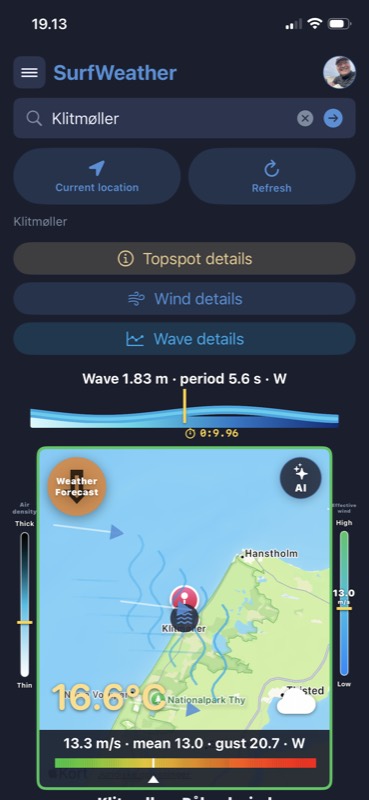
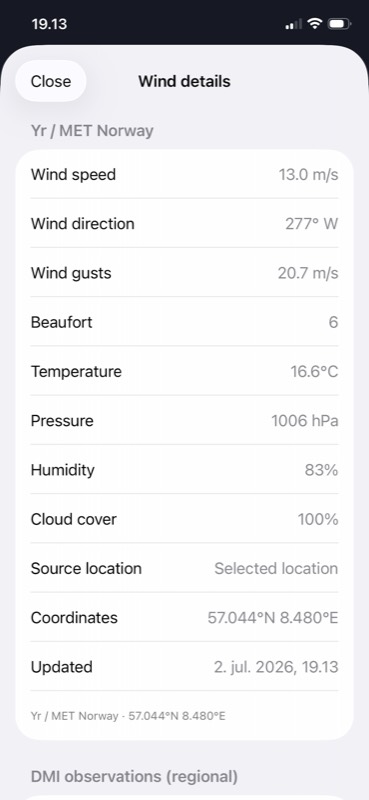
Live wind and gusts
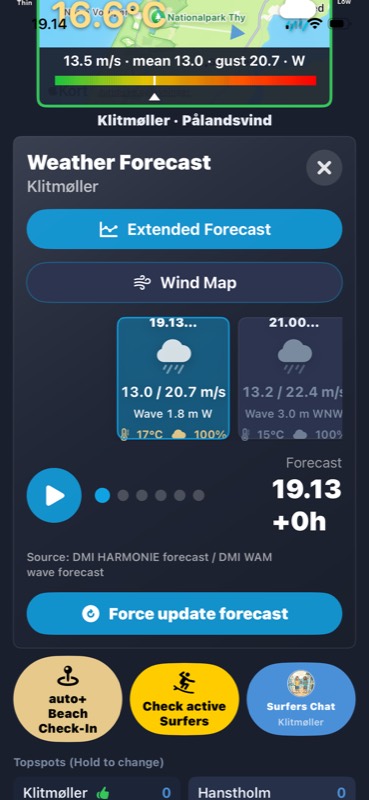
Mean speed, gusts, direction and Beaufort for your spot, on a colour scale that shows at a glance whether it is on.
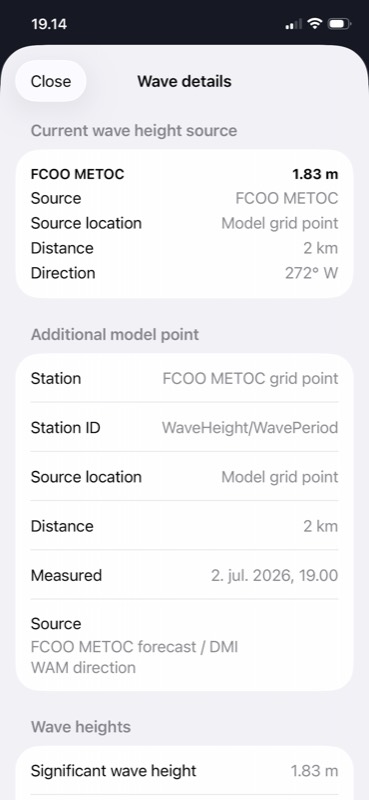
Wave details
Significant wave height, period and direction, so you can tell clean groundswell from short-period wind chop.
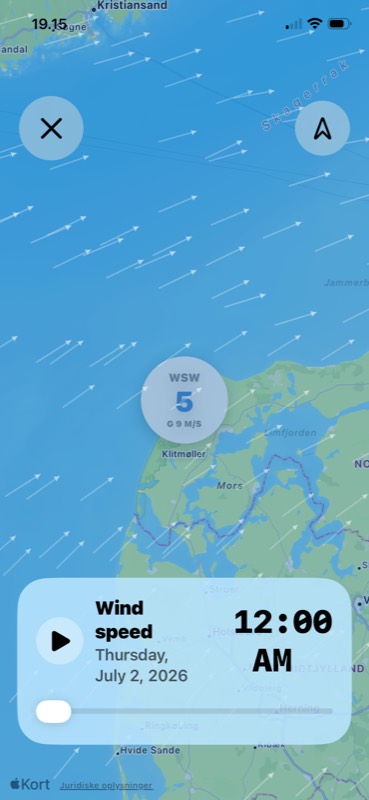
Animated wind map
Scrub hour by hour through the wind field moving across the coast, or press play and watch the day unfold.
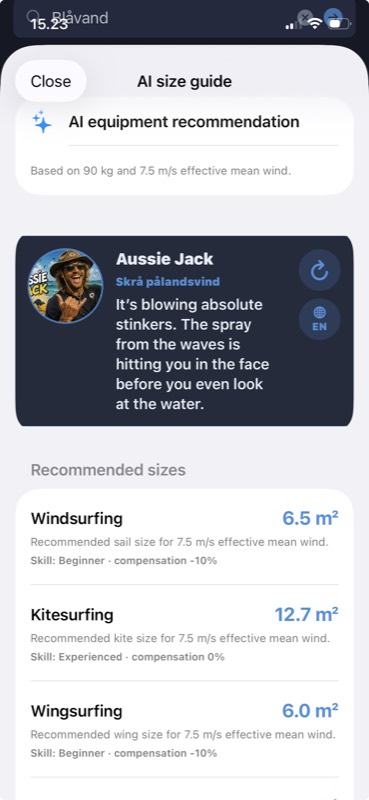
AI size guide
Sail, kite and wing sizes worked out from your weight, your skill level and the effective mean wind — plus a plain-language read on the conditions.
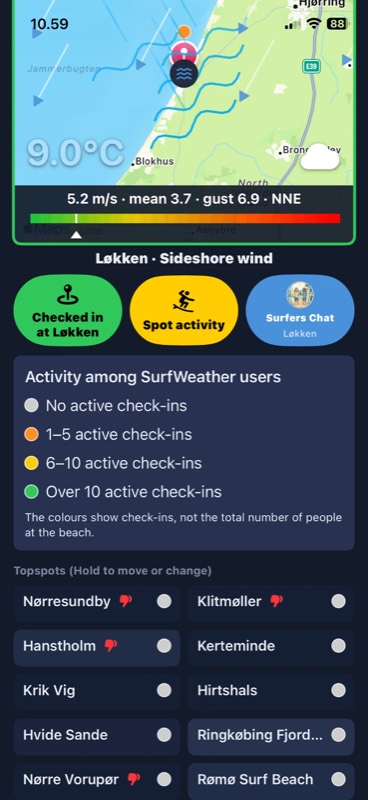
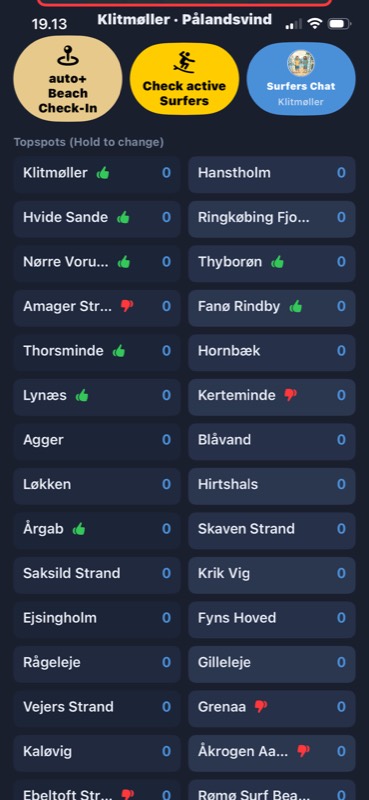
Topspots at a glance
Pick your home country anywhere in Europe and the app proposes its most popular spots for you — each with a green thumb when today's wind direction actually works there.
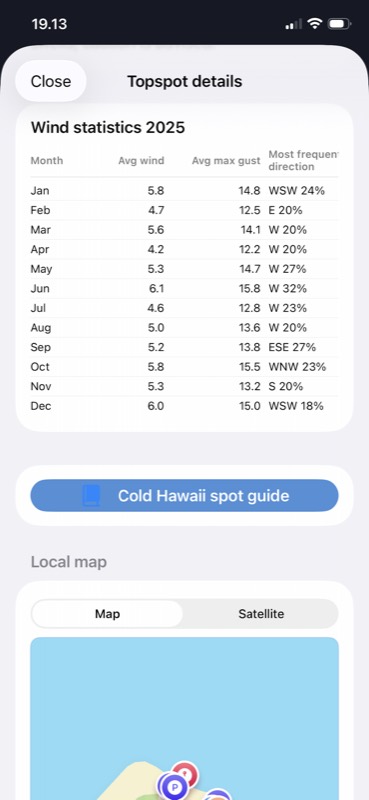
Spot statistics
Month-by-month average wind, average max gust and most frequent direction for each spot, so you can plan a trip around the odds.
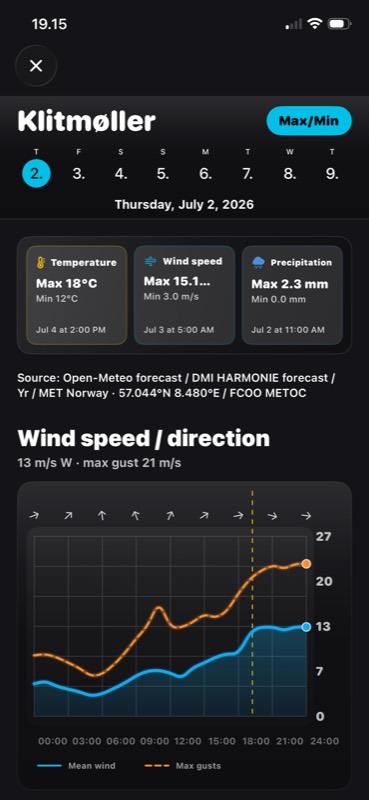
8-day forecast
Temperature, wind and precipitation highs and lows for the week ahead, then drill into the hour you care about.
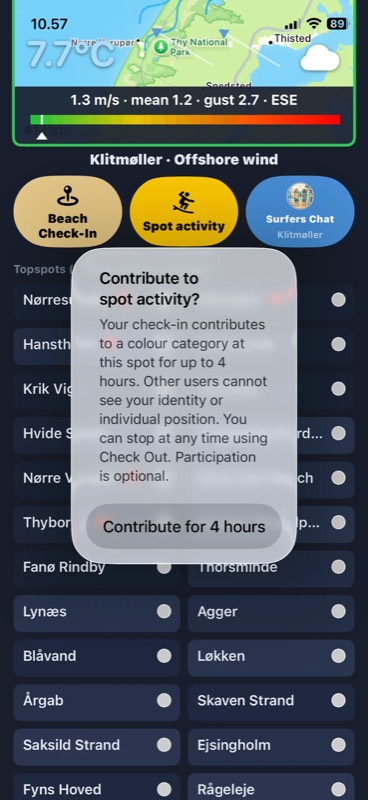
Check in and chat
Check in at the beach, see how busy your spot is, and talk to other surfers before you drive. Activity shows as a colour on the spot — never as individual people or positions.
Nine languages
English, German, French, Portuguese, Italian, Danish, Norwegian, Swedish and Dutch — including the plain-language condition summaries.
Screenshots
Swipe to see more.
Support
Questions, bug reports or feature ideas — we read every message.
How do I add a surf spot?
Set your home country and the app proposes a list of that country's most popular spots to get you started. Beyond those, use the search field at the top of the main screen to look up any spot by name, or tap Current location for the forecast where you are right now. Spots you save appear under Topspots.
Which countries and languages are supported?
Forecasts cover Europe. The app is available in nine languages — English, German, French, Portuguese, Italian, Danish, Norwegian, Swedish and Dutch — and follows your iPhone's language setting.
Do I have to allow location access?
No. Location is entirely optional — without it you can still search for and save surf spots manually and see their forecasts.
Some features do need it, though: finding spots near you, and anything based on where you currently are, will not work without location access. See the privacy policy for how location is handled.
Who can see my beach check-in?
Checking in is manual and optional — you do it explicitly each time you arrive. There are no automatic check-ins, and the app never checks you in on its own.
Other users never see you individually. A spot shows a colour, never a number: grey for nobody checked in, orange for 1–5, yellow for 6–10 and green for more than 10. The legend in the app explains the colours. No names, identities, positions or exact counts are shared.
Our server does not store account IDs, device IDs or individual check-in records for this feature at all, and your GPS position is never sent with it. Your check-in counts for up to four hours, or until you press Check Out.
One honest caveat: the colour reflects SurfWeather users who checked in, not everyone at the beach. At a very quiet spot, a small number can still make it possible to guess who is there.
How does the AI size guide work?
It combines your weight and skill level from your profile with the effective mean wind at the spot, and returns a suggested sail, kite and wing size. Beginners get a size compensation applied so the recommendation errs on the safe side. Treat it as a starting point, not gospel — local conditions and your own gear always win.
Where does the weather data come from?
Forecasts come from established meteorological sources including DMI (HARMONIE and WAM), Yr / MET Norway, Open-Meteo and FCOO METOC. Every detail screen in the app names the source it used for that specific reading.
How do I delete my account and data?
Open Surf Profile and choose Delete my account. If you would rather we do it for you, contact us and we will take care of it. Note that deleting your account does not cancel a subscription — see below.
How do I manage or cancel my subscription?
Subscriptions are purchased and managed through Apple, not through us. To change or cancel one, open the Settings app on your iPhone, tap your name, then Subscriptions. We never see your payment card details — Apple does not share them with us.
If I delete my account, does my subscription stop?
No. These are two separate things. Deleting your SurfWeather account removes your profile and its data, but the subscription is held by Apple and keeps billing until you cancel it in your Apple account's subscription settings. Cancel the subscription first, then delete the account.
The forecast looks wrong for my spot
Forecast models are less accurate close to shore and in complex terrain. If a spot looks consistently off, send us the spot name and a screenshot — that helps us correct the coordinates.
Which iPhone do I need?
SurfWeather runs on iPhone. The App Store listing shows the exact iOS version required.
Get in touch
Send us a message and we will reply by email as soon as we can.
Or email us directly at surfweather@holtzekjaer.com